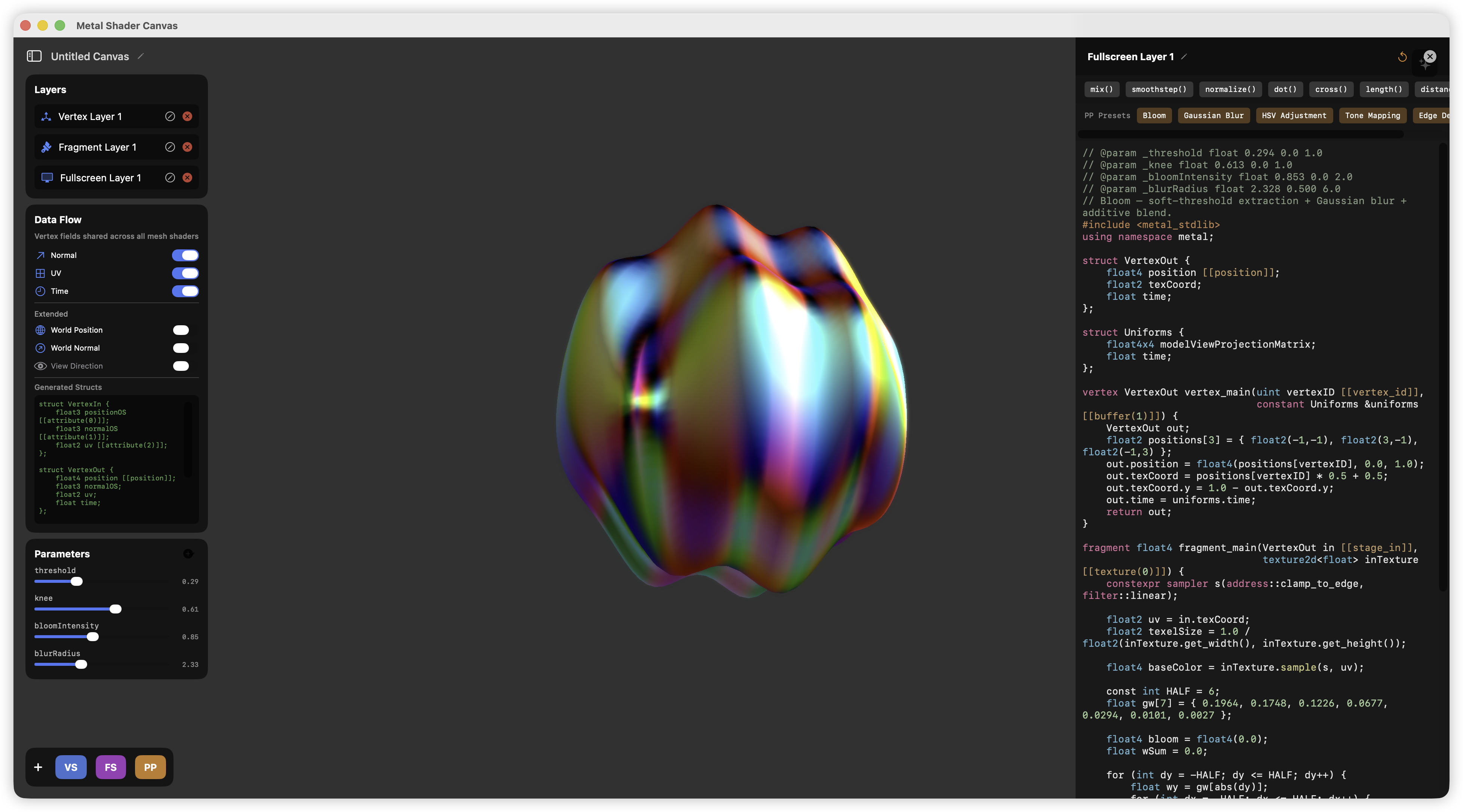
Metal Shader Canvas is a native macOS application (SwiftUI + Metal, ~22k lines of Swift) that works like a lightweight real-time rendering engine for shader authoring: you stack vertex, fragment, and fullscreen post-processing shaders as layers on top of a 3D mesh or a 2D canvas, and the app compiles your MSL source at runtime and shows the result immediately.
It started as the shader iteration tool for my game engine MetalCaster, and grew into a standalone project — and into my main testbed for a question I care about a lot: how do you make an LLM agent genuinely useful inside a rendering tool?
The project is open source on GitHub, and I wrote a hands-on tutorial series on this site: Using Shader Canvas — Basics.
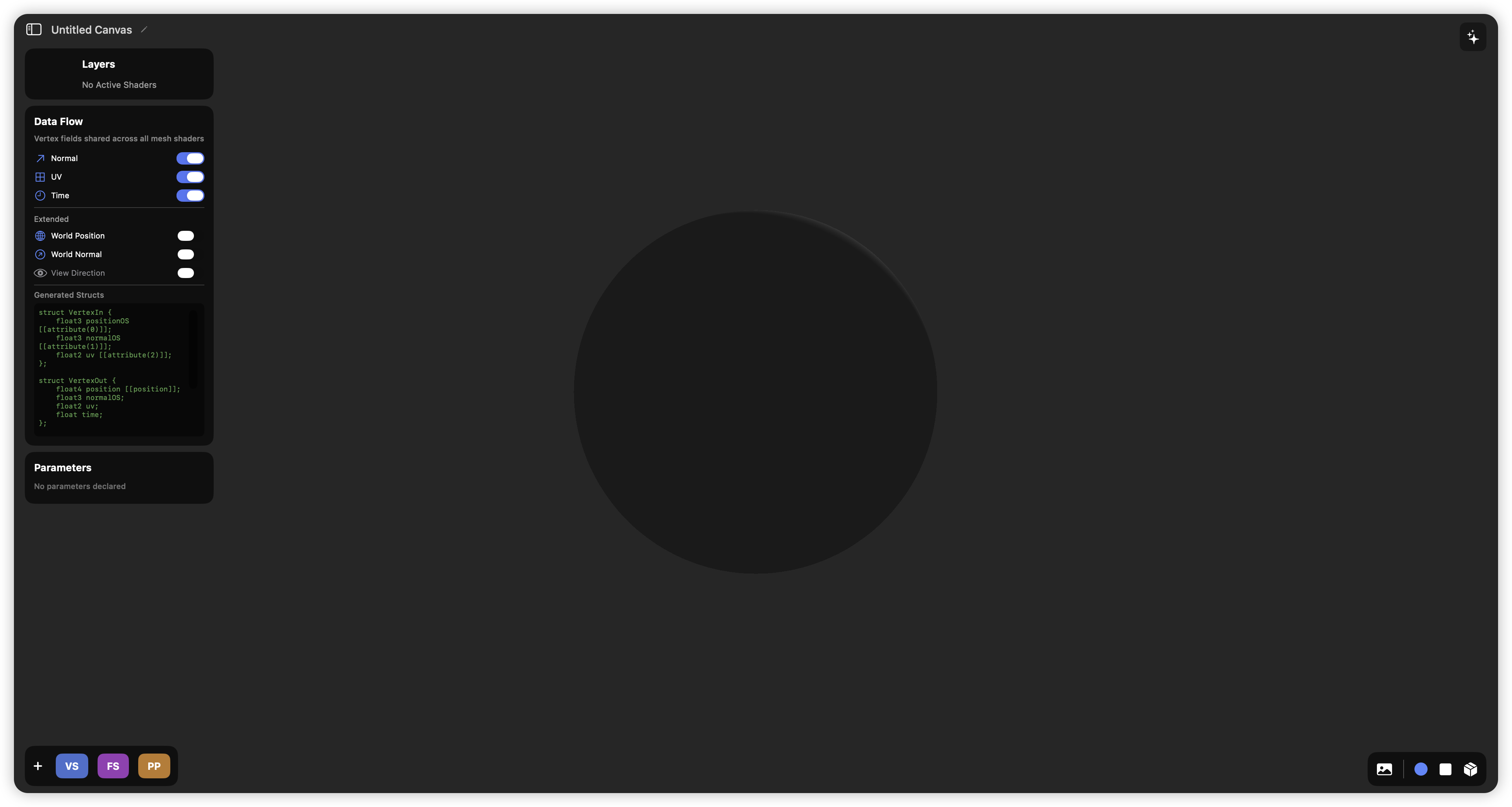
Architecture
The app is split into two strictly separated layers:
- A SwiftUI frontend owning all state: the code editor (MSL syntax highlighting, auto-indent, snippets), layer management, tutorials, AI chat, and
.shadercanvas/.shaderlabworkspace persistence. - A
MetalRendererbackend (anMTKViewDelegate, ~1,600 lines) that exclusively owns GPU resources: pipeline states, offscreen textures, mesh loading through ModelIO, and the per-frame encoding.
They communicate through a thin NSViewRepresentable bridge and decoupled notifications — the renderer never reaches into UI state, which is what keeps runtime shader recompilation from ever blocking a frame.
The frame, pass by pass
3D mode renders the classic way:
- Background + mesh pass into an offscreen HDR texture, with depth testing (
Depth32F), a right-handed perspective projection, and Rodrigues-rotation model transforms. - The fullscreen post-processing chain ping-pongs between two offscreen textures — each user layer is one pass.
- A final blit presents to the drawable, using a fullscreen-triangle (3 vertices covering NDC, not a quad) and
.privatestorage GPU textures.
2D mode extends this with per-object pipelines: every 2D object carries its own vertex shader (deformation), fragment shader (shading), and a system-injected SDF wrapper that computes signed-distance-based alpha masking and antialiased edges. Before each object draws, the current backbuffer is blitted so the object's shader can sample what's behind it — enabling refraction- and shadow-like effects in 2D.
Hot-reload compilation that doesn't fight you
Every edit triggers device.makeLibrary(source:) compilation at runtime, but naively recompiling everything makes an editor unusable. The renderer:
- Diffs shader state and rebuilds only the pipelines whose category actually changed (mesh vs. fullscreen vs. per-object).
- Serializes compiles on a dedicated queue with epoch counters, so stale results from superseded edits are discarded instead of racing the current ones.
- Retries transient failures with a cooldown for the Metal compiler daemon, and extracts structured MSL error messages back into the editor.
- Uses a frame semaphore to bound in-flight frames so a heavy shader can't hang the GPU queue.
A data-driven vertex interface
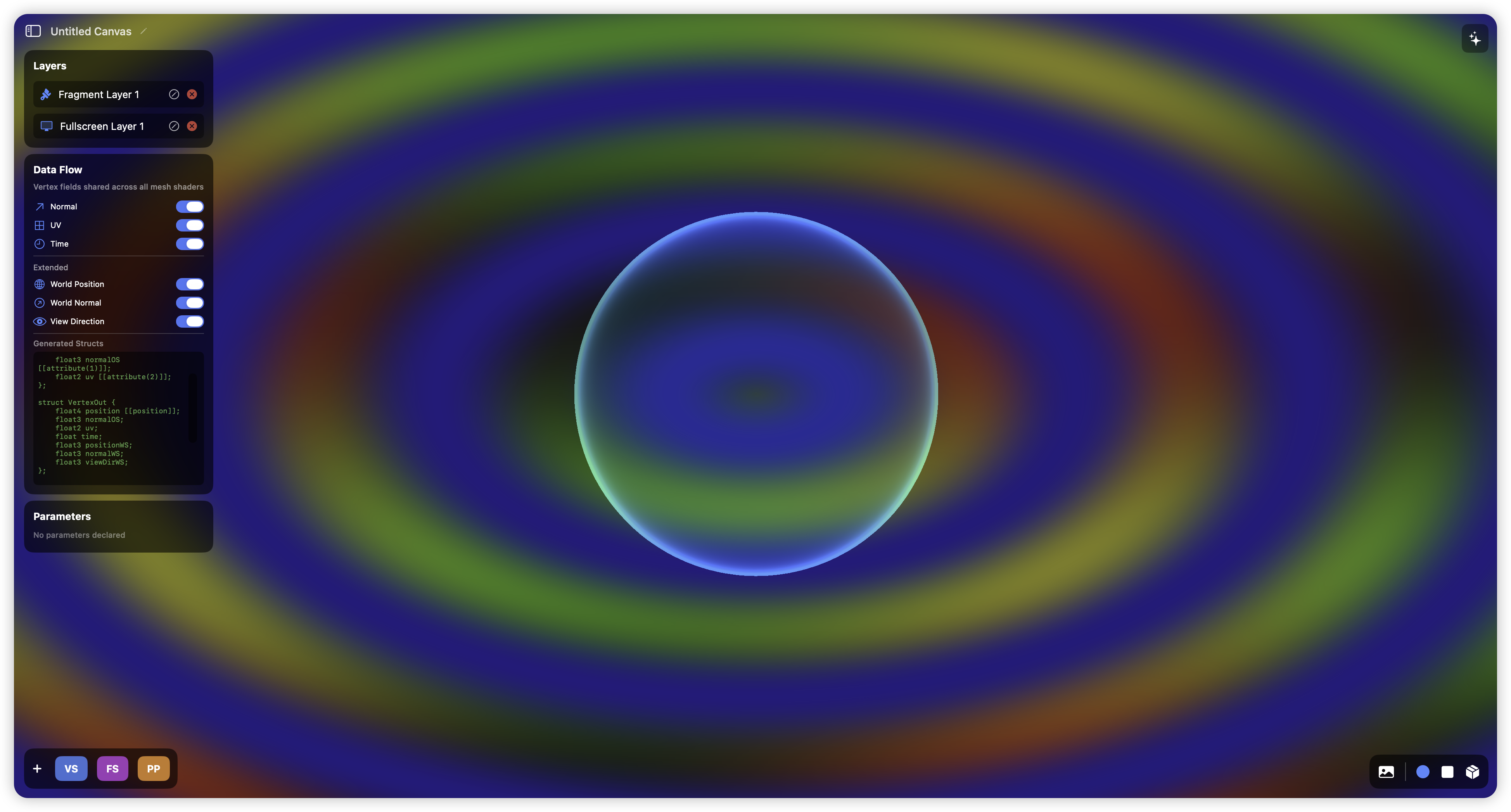
Rather than a fixed vertex format, a Data Flow panel lets you toggle which attributes (normals, UVs, world position, view direction…) flow into your shaders — the app generates the shared MSL header accordingly. It is a miniature version of the interface problem every shader-graph system has to solve.
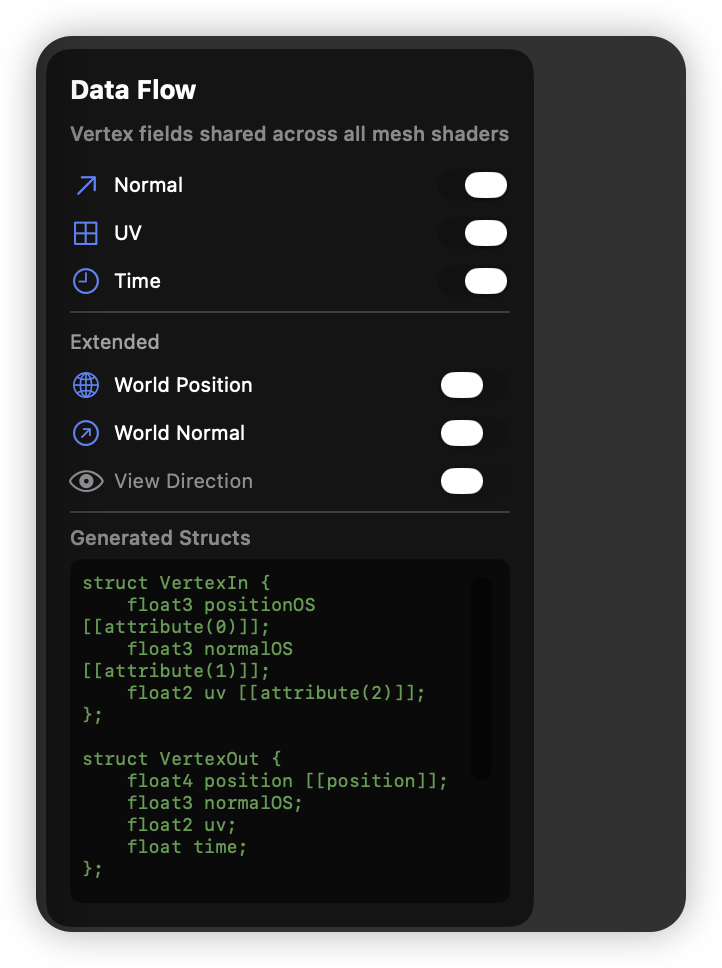
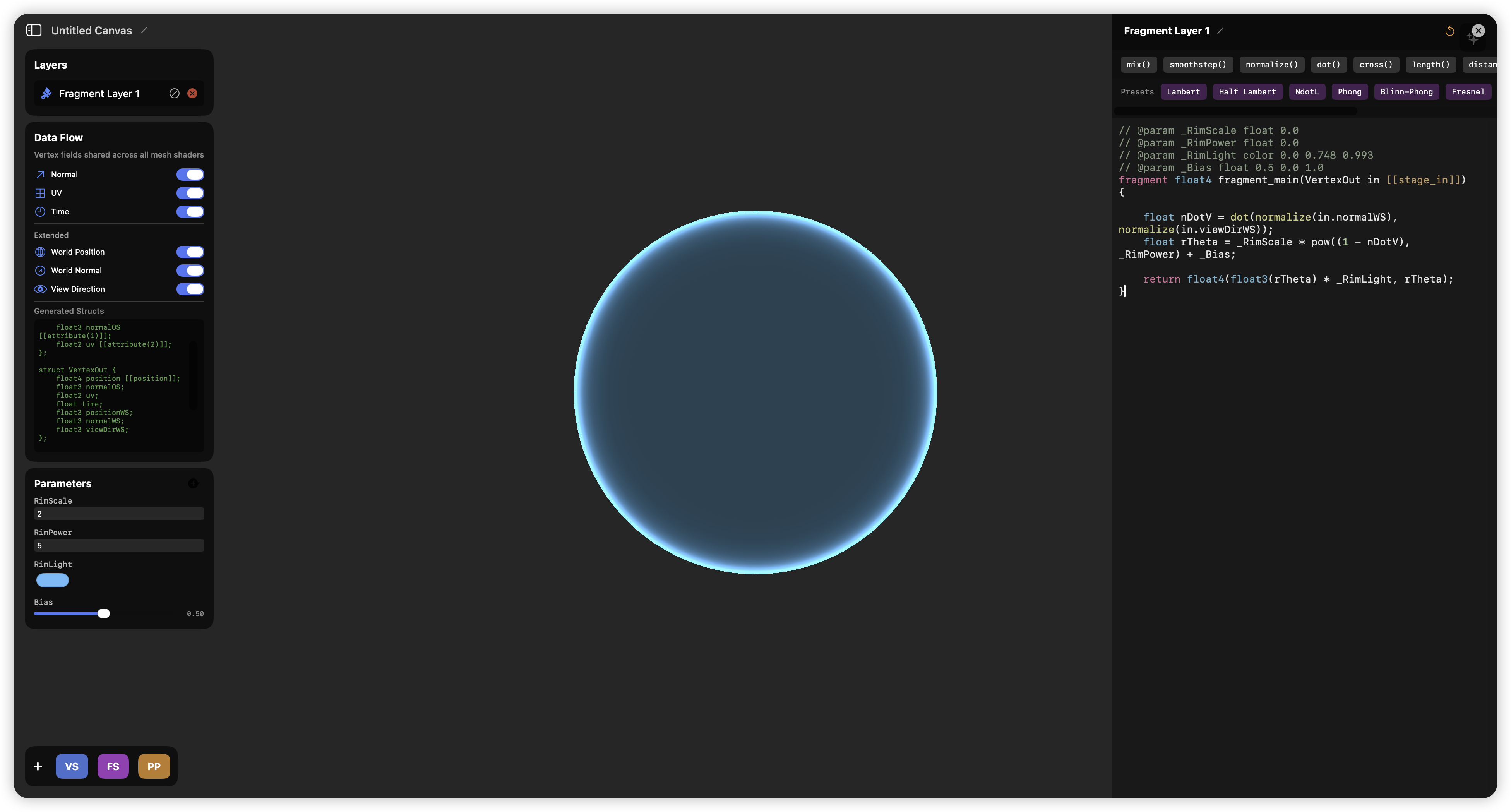
Shaders can also declare tweakable parameters inline — // @param _rimPower float 2.0 0.5 8.0 — which the app turns into GPU-buffer-backed UI sliders, Houdini-style:
Built-in shading library
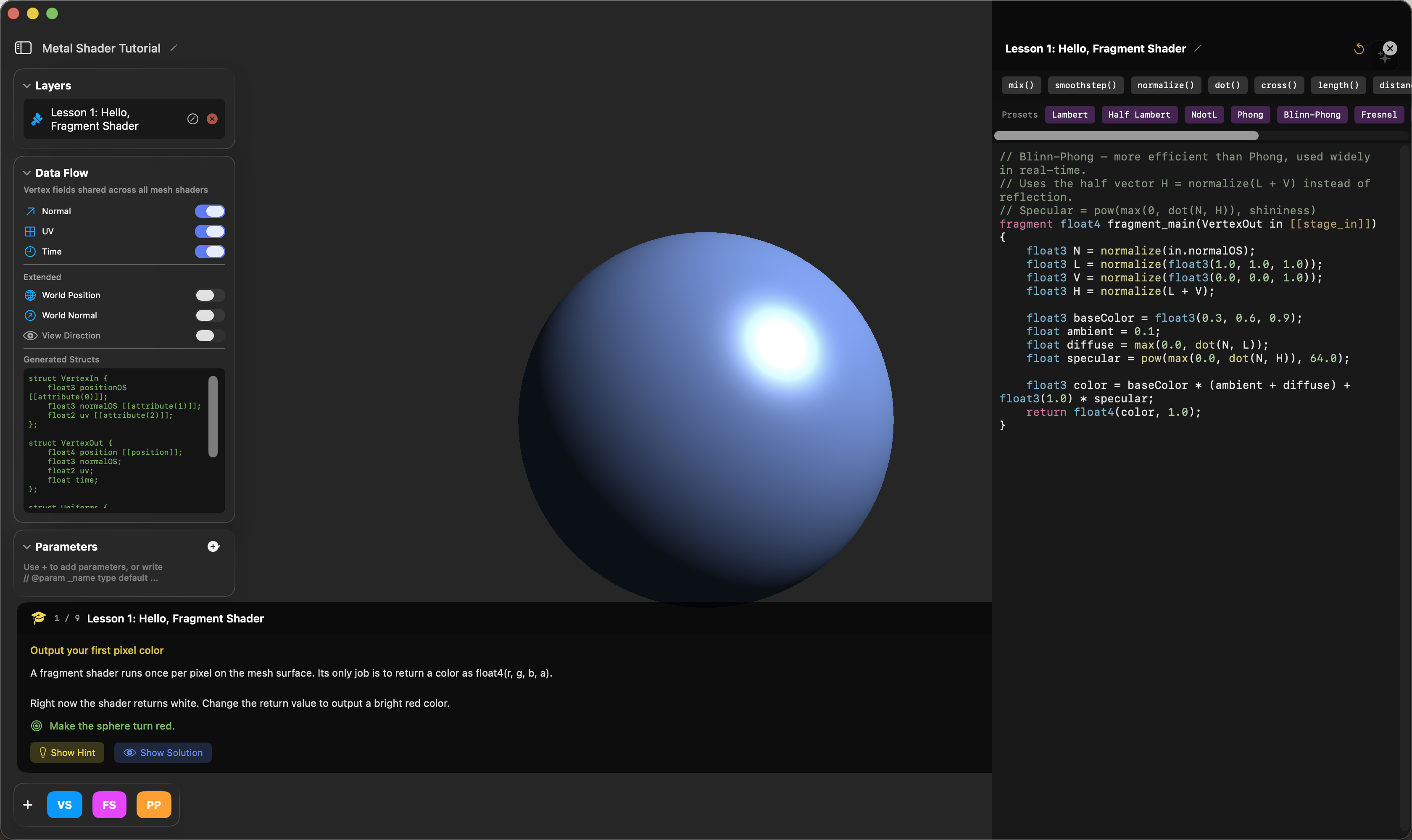
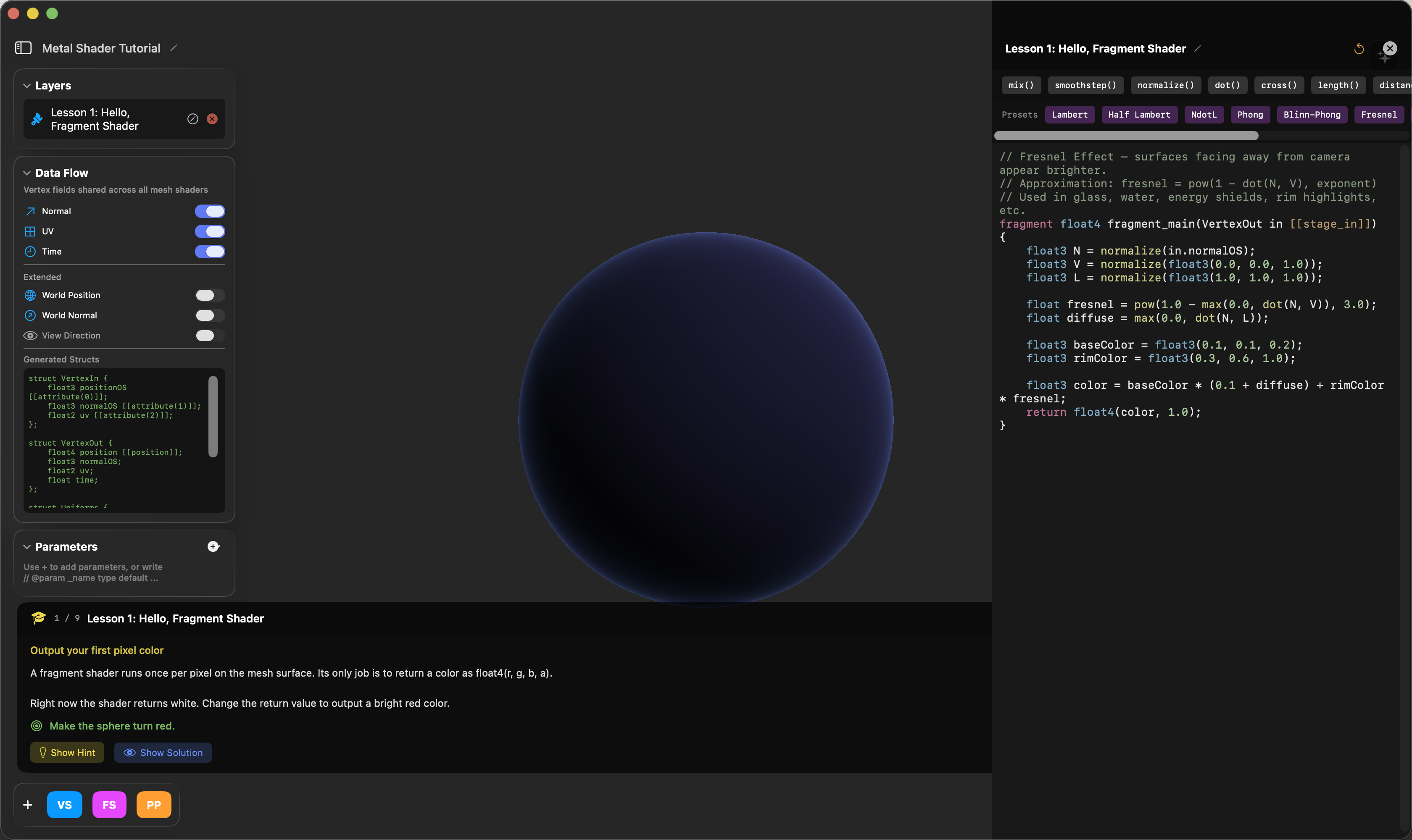
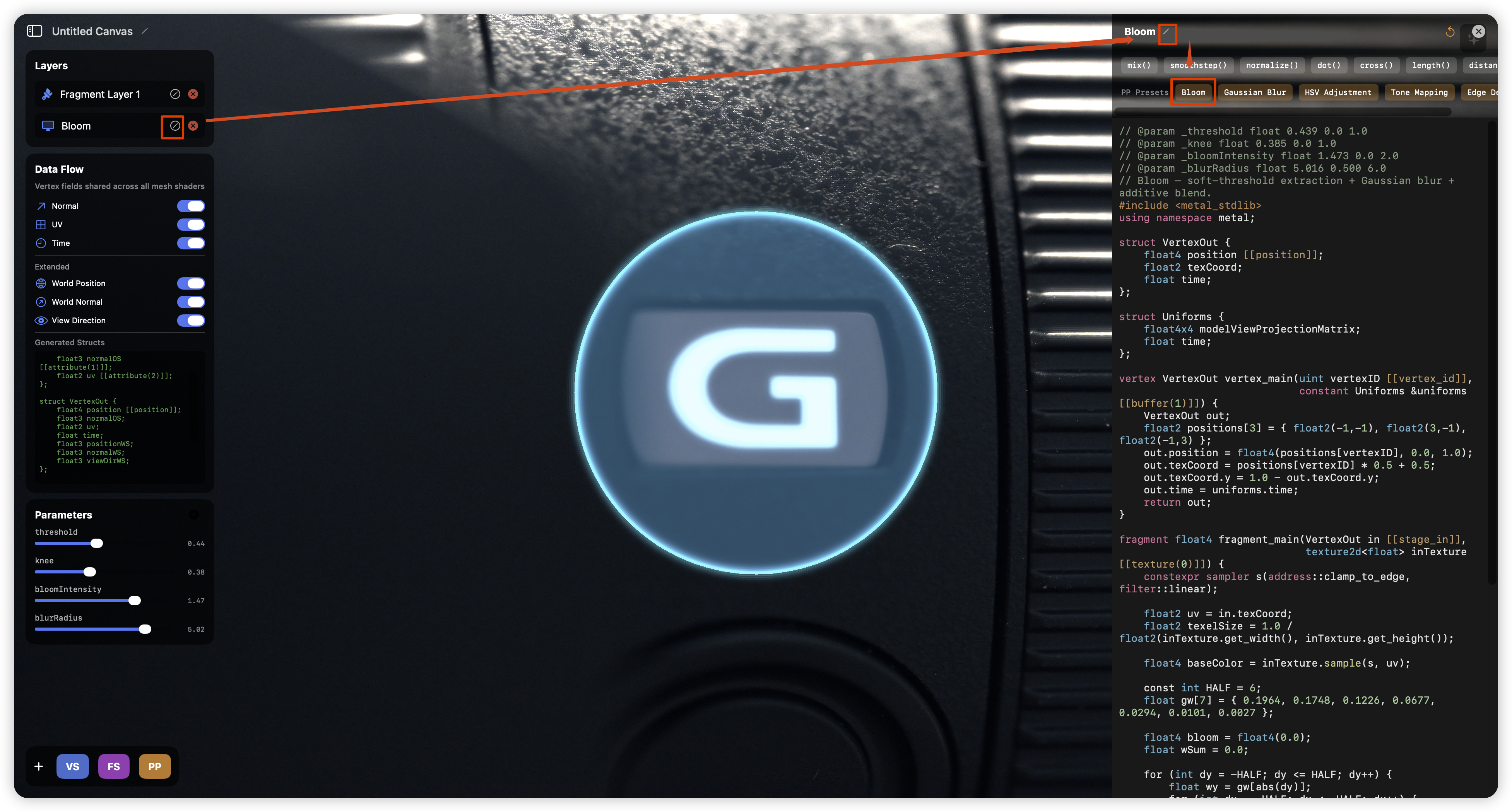
Ten classic lighting models (Lambert, Phong, Blinn-Phong, toon, rim, fresnel…) and five post effects — Bloom (threshold + Gaussian + additive composite), ACES tone mapping, HSV adjustment, Gaussian blur, edge detection — plus a nine-step interactive Metal tutorial. Every preset is one click away in the editor and lands directly in the active layer's source:
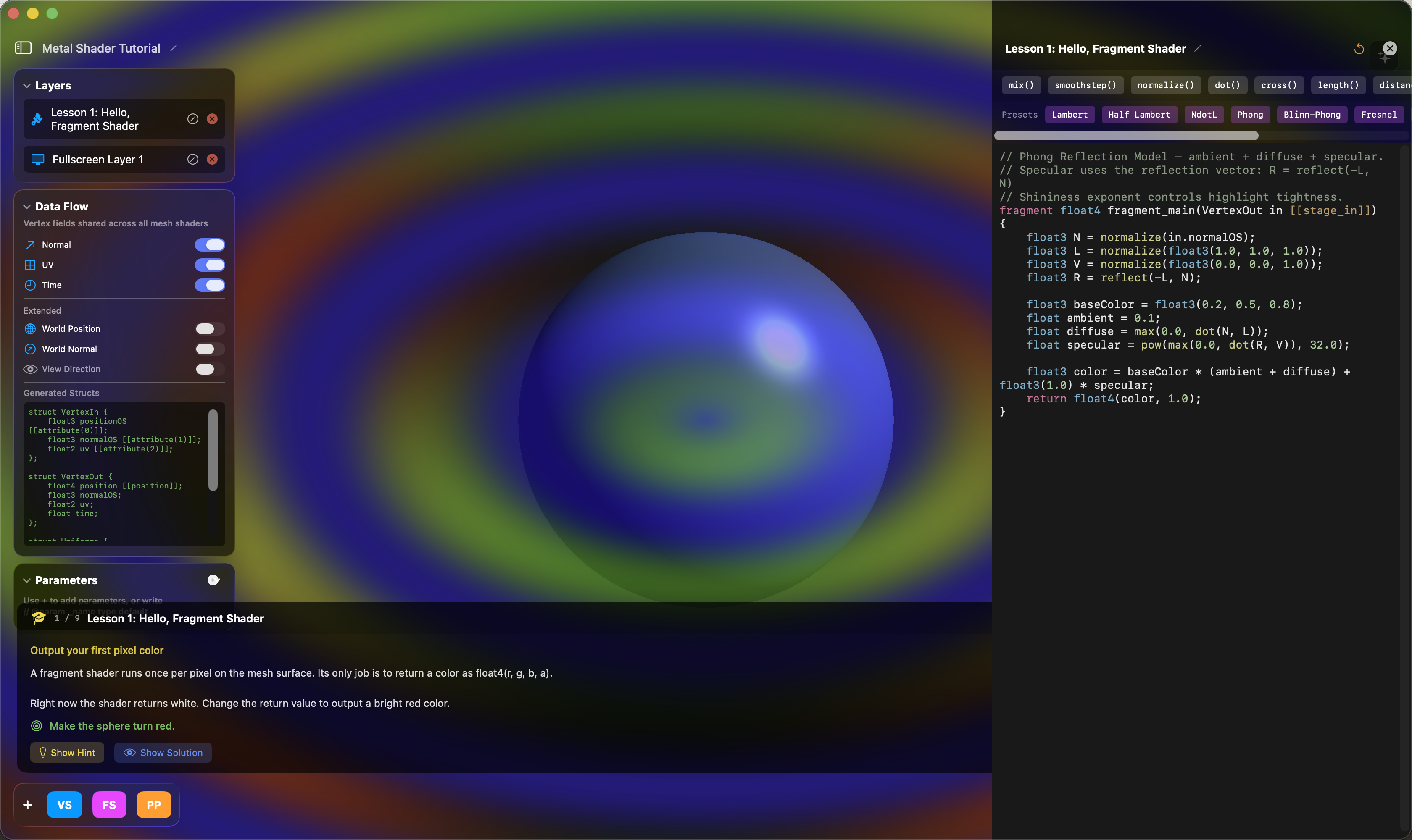
Stacking a fullscreen layer on top of the mesh pass sends the whole frame through the post-processing chain:
The Agentic Workflow: Closing the Loop with the Renderer
The most interesting part of this project is not any single shader — it is the design of the AI system. Most "AI + shader" tools stop at pasting generated code into an editor. Shader Canvas instead treats the real-time renderer as the agent's ground truth: everything the agent does is validated by actually compiling and actually rendering, and the render is fed back to the model. The renderer is what makes the agent loop fast and trustworthy — a shader iteration that would take a human minutes of copy-compile-look takes the agent seconds, because compile results and rendered frames flow back into its context automatically.
1. Structured actions, not code dumps
The agent replies with a JSON AgentResponse — canFulfill, explanation, a list of typed actions (addLayer, modifyLayer, addObject2D, setObjectShader2D, …), and explicit barriers when a request exceeds what the pipeline can do. Actions mutate the render graph directly through the same code paths the UI uses, so every agent edit is undoable via workspace checkpoints taken before each run.
2. Compile → render → verify, automatically
In Plan Mode, a multi-step task becomes a task tree, and each step runs a validation loop:
- Generate and apply shader actions.
- Await the actual compilation result from the renderer.
- On failure, feed the MSL error back and auto-fix (bounded retries).
- On success, capture the rendered frame and let the vision model verify the visual result against the step's intent.
- Only then mark the step complete.
The capture path is engineered, not incidental: the renderer reads back the offscreen HDR target on the GPU timeline, downscales to 512px, compresses to JPEG off the main thread, and attaches it to the multimodal context. In 2D mode the agent can even render an isolated preview clone of just the object it modified — its changes never overwrite user objects until accepted.
3. Context engineering for shaders
Dumping raw MSL into a prompt scales badly. A ContextManager assembles layered, token-budget-aware context, and a ShaderAnalyzer performs static analysis over the user's MSL to produce semantic summaries — recognizing 30+ effect patterns (PBR approximations, bloom, SDF booleans, raymarching, temporal animation…) so the model reasons about what the shader does, not just its text. Conversation history is compressed as the budget tightens.
4. Lab Mode: document-driven collaboration
Lab Mode structures longer efforts into phases — references → analysis → design document → implementation → tuning → adversarial review — where a single agent response can simultaneously update the design doc, register tunable parameters, and write shader code. The adversarial phase has the AI propose competing variants of the current shader (parameter and code changes) that the user can accept, reject, or partially adopt, with parameter snapshots for A/B comparison.
What this taught me
The agent is only as good as the feedback you give it. Wiring the renderer into the loop — compile results, rendered frames, semantic shader analysis — turned the AI from a code generator into something closer to a junior technical artist that checks its own work. That principle carried directly into the multi-agent system in MetalCaster.
Honest Scope
Shader Canvas is a rasterization pipeline by design: vertex/fragment stages and fullscreen passes, with SDF-based procedural shading in 2D (and users can hand-write raymarching fragments). It does not implement hardware ray tracing, compute pipelines, or shadow mapping — the agent's system prompt explicitly declares these as barriers so it never pretends otherwise. GPU ray marching lives in its sibling project, SDF Canvas, inside the MetalCaster repository.
Tech stack: Swift, SwiftUI, Metal, MetalKit, ModelIO, simd, MSL · macOS 26+