Unity Engine · Part 1 of 7 · May 29, 2022
Unity Engine #1 Memory
This note is mainly about the memory management of the Unity engine.
Basic concepts
Unity'sManaged Memory Systemis a C# scripting environment based on the Mono or IL2CPP virtual machine (VM). The benefit of a managed memory system is that itmanages the release of memory, so you don't have to manually request the release of memorythrough code.
Managed Memory: This is managed by .NET's garbage collector (often referred to as GC) and is mainly used to store C# objects.
Unmanaged Memory: Memory used by the Unity engine and plug-ins. Used to store native resources such as Texture2D, Mesh and so on.
Managed Heap: It is the memory area used to store all C# objects in the .NET runtime environment. In Unity, this includes almost all objects created through scripts, such as instances of classes, arrays, strings, etc. Note that things here are automatically managed by the GC. Consistent with computer systems, different data types occupy different sizes when occupying the managed heap.
Automatic memory management
In Unity, unlike common C, we do notneedto use the malloc function for memory heap occupation, nor do we need to perform a free function on a memory block that is no longer used. Unity's scripting backend automatically manages your application's memory using a garbage collector. Automatic memory management requires less coding effort than explicit allocation/release and reduces the possibility of memory leaks. .
Memory fragmentation
Since different data types have different sizes, if we need to occupy a large memory block M, even if the total amount of currently available memory is larger than M after releasing some occupied memory, we still cannot M into memory. This is because the freed memory isfragmented.
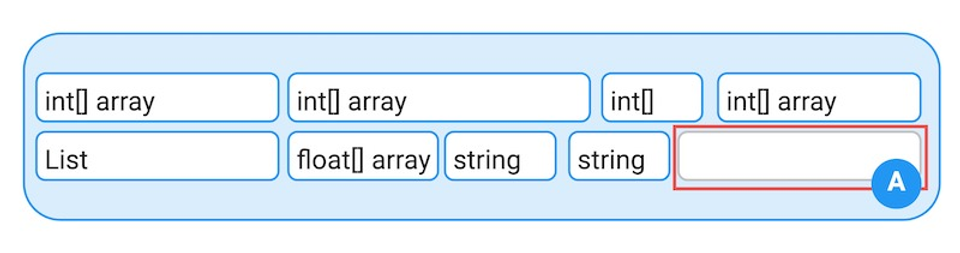
If a large object is allocated and there is not enough contiguous free space to accommodate it, as shown in the image above, the Unity memory manager will perform two operations:
- First, the GC runs (if it is not already running), trying to free enough space to satisfy the allocation request.
- If after the GC has run, there is still not enough contiguous space to accommodate the requested amount of memory, the heap must be expanded. The exact amount of heap expansion depends on the platform. However, on most platforms, when the heap expands, it expands by twice the amount it was previously expanded by.
But because heap expansion is a risky operation, Unity's garbage collection strategy tends to fragment memory more frequently. Moreover, frequent GC operations may cause the game to freeze, so we should minimize memory allocation and avoid creating new objects in frequently called methods such as Update.
Object Pool
Object Poolingis a design pattern for reusing and managing a collection of pre-instantiated objects instead of destroying them when needed and created. Frequent creation and destruction in Unity will lead to performance degradation and memory allocation problems. It can also improve game performance by reducing the number of GC calls.
Usage Scenarios: Suitable for objects that are frequently created and destroyed, such as bullets, particle effects, enemies, etc. It is especially important in games that require high performance and smooth experience, such as real-time strategy games and shooting games.
Implementation steps
- Create an object pool singleton;
- Pre-instantiate a certain number of objects as needed at the beginning of the game (Start or Awake);
- Provides methods to obtain and return objects from the pool;
Note:
Although it does reduce GC calls, it also increases the memory that is continuously occupied.
Unmanaged resources
Unmanaged resources are resources managed directly by the Unity engine and are not controlled by the .NET Garbage Collector (GC). This includes textures, audio files, 3D models, animations, etc. We load resources through the Asset Bundles or Resources class, and release the resources through the Destroy function to avoid causing the memory leak mentioned below.
Usage of Resources class
Create a folder named Resources in Assets. Then, in a C# script, you can pass
var prefab = Resources.Load<GameObject>("MyPrefab");
To call the required unmanaged resources.
We can also release our resources throughResources.UnloadAsset(AssetName); useResources.UnloadUnusedAssets()to release all currently unused resources.
Memory leak
Memory that is no longer used is not reclaimed by GC, resulting in memory leaks. Here are some possible memory leaks:
Unmanaged resources not released
A large number of unmanaged resources (such as Texture, Audio Clip, Mesh) are created but not released when they are no longer needed.
Solution: Use the Destroy method to release. Or call .Dispose();
Static variables and singletons
Static variables or singleton classes refer to objects in the scene, and these objects will not be destroyed even when the scene is switched.
Workaround:Make sure you set static variables to null when they are no longer needed, or use the singleton pattern carefully.
Events and delegates
Objects subscribed to events but did not unsubscribe before being destroyed, causing events to continue to hold references to these objects.
Workaround:In the OnDestroy() method, make sure to unsubscribe from all events.
Dynamic loading of resources
Resources are dynamically loaded usingResources.Loadbut are not unloaded correctly. Causes these resources to always remain in memory.
Solution:Use Resources.UnloadUnusedAssets appropriately to unload resources that are no longer in use.
Code optimization to reduce memory allocation
String operation optimization
For the string type, we try to reduce the "+" operation as much as possible; because this will create a lot of temporary string objects;
Solution:Build strings by using "StringBuilder", especially when concatenating strings in a loop.
Avoid boxing and unboxing
In Unity we have a distinction betweenvalue types(e.g. int, float, bool) andreference types(e.g. Object).
Conversions between value types and reference types are called boxing and unboxing and may result in additional memory allocations. We should try to avoid unnecessary boxing and unboxing operations and make the use of data types clear.
Optimize data structure
First of all, it is necessary to clarify the advantages and disadvantages of many data structures.
On the premise of memorizing the advantages, disadvantages and complexity of each data structure, and on the premise of ensuring the operations we need, we should try to choose data types that occupy less memory and operate faster.
Reference materials:
- Unity 3D memory management,https://www.mvrlink.com/unity3d -managed-memory/
- Object pool,https://blog.csdn.net/l773575310/ article/details/71601460
- Unity memory leak,https://wetest.qq.com/labs/150
Data Structure data structure
Advantages
Disadvantages
Time complexity of key operations
List<T>
Dynamic array, you can quickly access elements through index
Insertion and deletion operations at non-end locations are slower
Access: O(1)
Insertion/deletion: O(n)
LinkedList<T>
Insertion and deletion are fast
One of the entries cannot be accessed through direct index
Access: O(n)
Insertion/deletion: O(1)
Dictionary<TKey, TValue>
Fast search, key-value pair storage, suitable for quick access and update of data
Memory usage is high, keys must be unique
Find/Insert/Delete: O(1)
HashSet<T>
A collection of unique values, fast search (existence determination) and insertion
The elements are unordered and the elements cannot be repeated
Find/insert/delete: O(1)
Queue<T>
First In First Out (FIFO)
Random access is slower
Enter/dequeue: O(1)
Stack<T>
Last In First Out (LIFO)
Push/pop: O(1)
Array
Fixed size, quick access
Fixed size, not flexible enough